
PC Agent8.16 - Download
You'll be able to download in few seconds.
Publisher Description
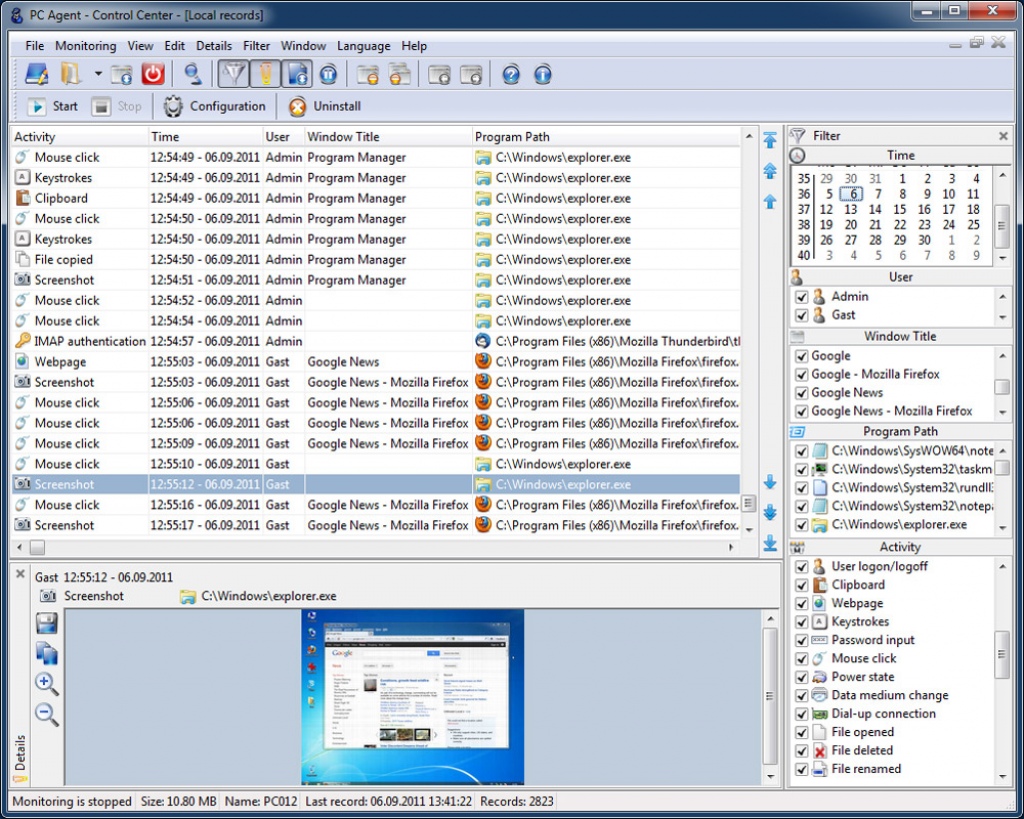
PC Agent monitors and records the activities of all users on a computer unnoticed. The monitoring captures not only the most common activities like keystrokes, visited websites and screenshots, but also Internet activities such as sent and received emails and many more. PC Agent is specially designed to send the records in several different ways.
Monitoring functions:
Keystrokes
Mouse clicks
User logon/logoff
Clipboard
Power state
Data medium change
Dial-up connections
File operations
Printer
Scanner
Screenshots
Visited web pages
Form data
Emails
FTP commands
Authentications
Webcam
GPS Position
Microphone
More features:
Storing records in a directory on the computer
Storing records in a network share
Sending records to an e-mail address
Storing records in a FTP account
Sending records to the PC Agent Server
Invisible in the process list
Selective user monitoring
Automatic uninstall
Delete records automatically
Protection against unauthorized use
Filter records
Forward recorded emails
About PC Agent
This Covert Surveillance program is available in English, Chinese, ChineseSimplified, French, German, Italian, Japanese, Korean, Russian, Spanish. It was last updated on 29 September, 2026. PC Agent is compatible with the following operating systems: Windows.
The company that develops PC Agent is 7tech Ltd. The latest version released by its developer is 8.16.
The download we have available for PC Agent has a file size of 11.5 MB. Just click the green Download button above to start the downloading process. The program is listed on our website since 2017-04-17 and was downloaded 0 times. We have already checked if the download link is safe, however for your own protection we recommend that you scan the downloaded software with your antivirus. Your antivirus may detect the PC Agent as malware if the download link is broken.
How to install PC Agent on your Windows device:
- Click on the Download button on our website. This will start the download from the website of the developer.
- Once the PC Agent is downloaded click on it to start the setup process (assuming you are on a desktop computer).
- When the installation is finished you should be able to see and run the program.
Program Details
General
System requirements
Download information
Pricing
Version History
version 8.16
posted on 2017-04-17
Disclaimer
External Download
We do not host PC Agent on our servers. We did not scan it for viruses, adware, spyware or other type of malware. This app is hosted by the software publisher and passed their terms and conditions to be listed there. We recommend caution when installing it.
The external download link for PC Agent is provided to you by apps112.com without any warranties, representations or guarantees of any kind, so access it at your own risk.
If you have questions regarding this particular app contact the publisher directly. For questions about the functionalities of apps112.com contact us.
